


最近节日
正在加载日历...----
在 Spring 应用中,所有组件都被 以 Bean 的方式管理,Spring 负责创建 Bean 实例,并管理他们的生命周期。Bean 在 Spring 容器中运行,无须感受 Spring 容器的存在,一样可以接受 Spring 的依赖注入。

在 Spring 应用中,所有组件都被 以 Bean 的方式管理,Spring 负责创建 Bean 实例,并管理他们的生命周期。Bean 在 Spring 容器中运行,无须感受 Spring 容器的存在,一样可以接受 Spring 的依赖注入。
Spring 有两个核心接口:BeanFactory 和 ApplicationContext,其中 ApplicationContext 是 BeanFactory 的子接口。他们都可代表 Spring 容器,Spring 容器是生成 Bean 实例的工厂,并且管理容器中的 Bean,包括整个的生命周期的管理——创建、装配、销毁。
Bean 是 Spring 管理的基本单位,在基于 Spring 的 Java EE 应用中,所有的组件都被当成 Bean 处理,包括数据源、Hibernate 的 SessionFactory、事务管理器等。在 Spring 中,Bean 的是一个非常广义的概念,任何的 Java 对象、Java 组件都被当成 Bean 处理。
Spring 容器负责创建 Bean 实例,所以需要知道每个 Bean 的实现类,Java 程序面向接口编程,无须关心 Bean 实例的实现类;但是 Spring 容器必须能够精确知道每个 Bean 实例的实现类,因此 Spring 配置文件必须精确配置 Bean 实例的实现类
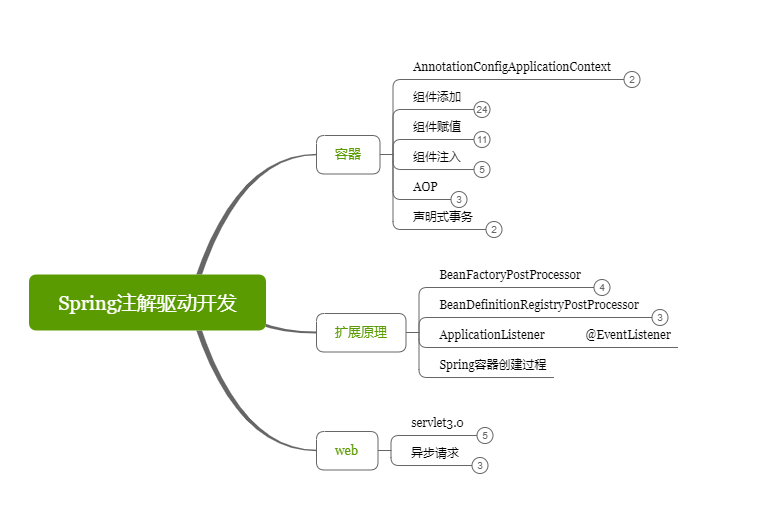
Spring 容器最基本的接口就是 BeanFactory。BeanFactory 负责配置、创建、管理 Bean,ApplicationContext 是它的子接口,因此也称之为 Spring 上下文。Spring 容器负责管理 Bean 与 Bean 之间的依赖关系。
BeanFactory 接口包含以下几个基本方法:
Boolean containBean(String name):判断 Spring 容器是否包含 id 为 name 的 Bean 实例。
Object getBean(String name):返回 Spring 容器中 id 为 name 的 Bean 实例。
<T> getBean(Class<T> requiredType):获取 Spring 容器中属于 requiredType 类型的唯一的 Bean 实例。
<T> T getBean(String name, Class requiredType):返回容器中 id 为 name,并且类型为 requiredType 的 Bean
Class <?> getType(String name):返回容器中指定 Bean 实例的类型。
调用者只需使用 getBean() 方法即可获得指定 Bean 的引用,无须关心 Bean 的实例化过程,即 Bean 实例的创建过程完全透明。
这些方法可以参考之前的笔记https://chanshiyu.gitbook.io/blog/hou-duan/spring/15springboot-guan-li-bean
创建 Spring 容器实例时,必须提供 Spring 容器管理的 Bean 的详细配置信息。Spring 的配置信息通常采用 xml 配置文件来设置,因此,创建 BeanFactory 实例时,应该提供 XML 配置文件作为参数。
XML 配置文件通常使用 Resource 对象传入。Resource 接口是 Spring 提供的资源访问接口,通过使用该接口,Spring 能够以简单、透明的方式访问磁盘、类路径以及网络上的资源。一般使用如下方式实例化 BeanFactory:
// 搜索当前文件路径下的bean.xml文件创建Resource对象InputStreamSource isr = new FileSystemResource("bean.xml");// 以Resource对象作为参数创建BeanFactory实例XmlBeanFactory factory = new XmlBeanFactory((Resource) isr);
// 搜索类加载路径下的bean.xml文件创建Resource对象ClassPathResource res = new ClassPathResource("bean.xml");XmlBeanFactory factory = new XmlBeanFactory(res);在使用 BeanFactory 接口时,我们一般都是使用这个实现类:org.springframework.beans.factory.xml.XmlBeanFactory。然而 ApplicationContext 作为 BeanFactory 的子接口,使用它作为 Spring 容器会更加方便。它的实现类有:
FileSystemXmlApplicationContext:以基于文件系统的 XML 配置文件创建 ApplicationContext 实例。
ClassPathXmlApplicationContext:以类加载路径下的 XML 配置文件创建 ApplicationContext 实例。
XmlWebApplicationContext:以 web 应用下的 XML 配置文件创建 ApplicationContext 实例。
AnnotationConfigApplicationContext:以 java 的配置类创建 ApplicationContext 实例。
食用方式:
// 搜索CLASSPATH路径,以classpath路径下的bean.xml、service.xml文件创建applicationContextApplicationContext ctx = new ClassPathXmlApplicationContext(new String[]{"bean.xml","service.xml"});
// 以指定路径下的bean.xml、service.xml文件创建applicationContextApplicationContext ctx1 = new FileSystemXmlApplicationContext(new String[]{"bean.xml","service.xml"});我们举个栗子,比较传统的 xml 配置文件注册 bean 和注解方式注册 bean 两种方式。
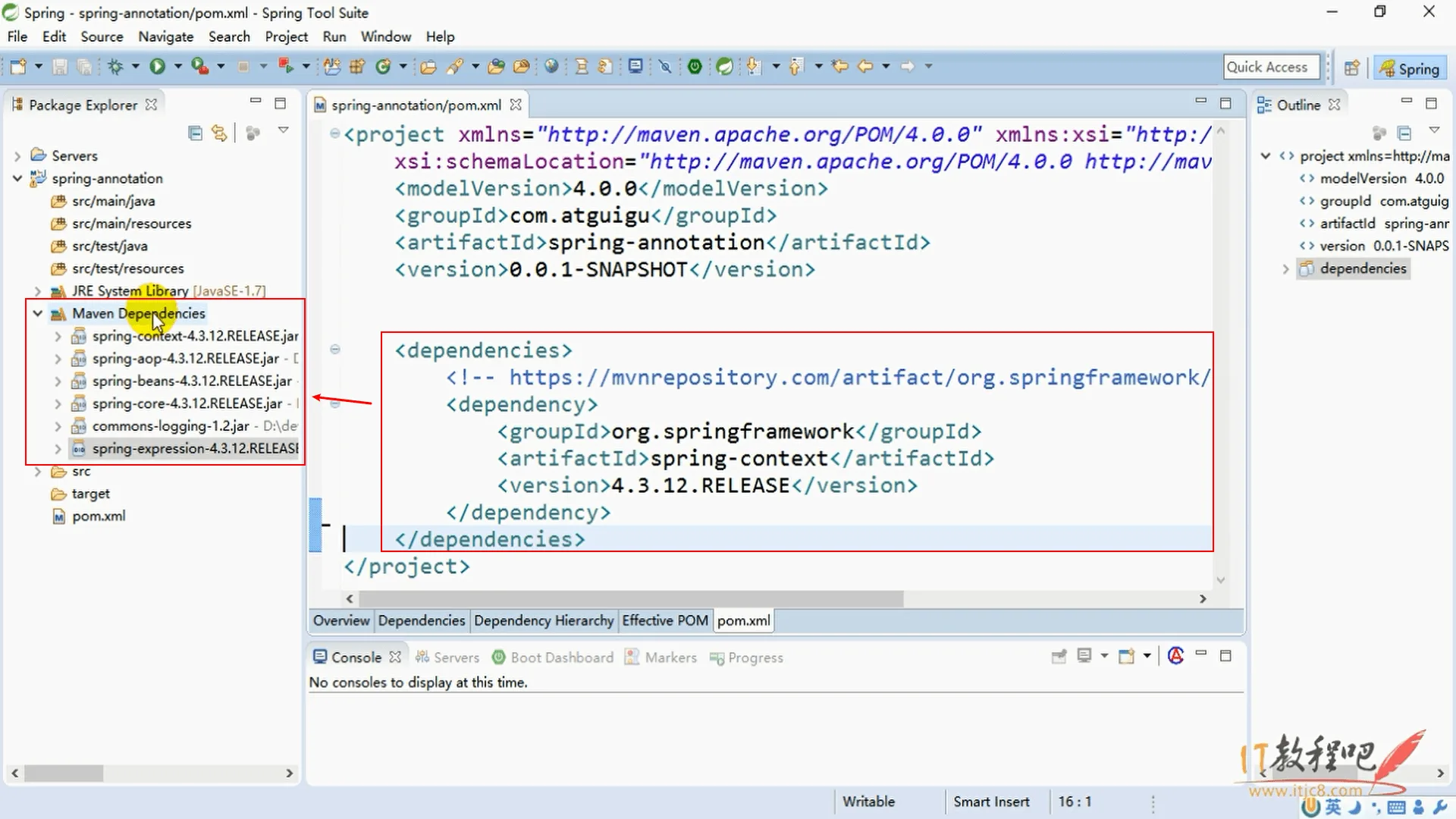
给容器中注册组件有以下几种方式:
@bean
1**.使用 xml 配置文件**
<?xml version="1.0" encoding="UTF-8"?><beans xmlns="http://www.springframework.org/schema/beans" xmlns:xsi="http://www.w3.org/2001/XMLSchema-instance" xmlns:context="http://www.springframework.org/schema/context" xsi:schemaLocation="http://www.springframework.org/schema/beans http://www.springframework.org/schema/beans/spring-beans.xsd">
<bean id="person" class="com.chanshiyu.bean.Person"> <property name="name" value="zhangsan"/> <property name="age" value="18"/> </bean></beans>然后通过 ClassPathXmlApplicationContext 引入类路径下的配置文件来注册 bean:
ApplicationContext applicationContext = new ClassPathXmlApplicationContext("beans.xml");Person bean = (Person) applicationContext.getBean("person");System.out.println(bean);2.使用注解方式
// 配置类 == 配置文件@Configurationpublic class MainConfig {
// 给容器中注册一个 bean; 类型为返回值类型,id 默认为方法名 @Bean public Person person() { return new Person("lisi", 20); }
}然后通过 AnnotationConfigApplicationContext 引入注解配置文件来注册 bean:
ApplicationContext applicationContext = new AnnotationConfigApplicationContext(MainConfig.class);Person bean = applicationContext.getBean(Person.class);System.out.println(bean);需要注意:@Bean 注册 Bean,类型为返回值类型,id 默认为方法名,@Bean(name) 可以指定 bean id。
@componentscan
@ComponentScan 包扫描:只要标注了 @Controller、@Service、@Repository、@Component 注解的类都可以被自动注册为 bean。
1.使用 xml 配置文件
在 beans.xml 中加入:
<context:component-scan base-package="com.chanshiyu"></context:component-scan>2.使用注解方式
@Configuration@ComponentScan(value = "com.chanshiyu")public class MainConfig {}自定义过滤规则:
/** * @ComponentScan value:指定要扫描的包 * excludeFilters = Filter[]:指定扫描的时候按照什么规则排除那些组件 * includeFilters = Filter[]:指定扫描的时候只需要包含哪些组件 * FilterType.ANNOTATION:按照注解 * FilterType.ASSIGNABLE_TYPE:按照给定的类型 * FilterType.ASPECTJ:使用ASPECTJ表达式 * FilterType.REGEX:使用正则指定 * FilterType.CUSTOM:使用自定义规则 */@ComponentScan(value = "com.chanshiyu", excludeFilters = { @ComponentScan.Filter(type = FilterType.ANNOTATION, classes = {Controller.class, Service.class}), @ComponentScan.Filter(type = FilterType.ASSIGNABLE_TYPE, classes = {BookService.class})})这里重点介绍一下 FilterType.CUSTOM 自定义过滤规则,先自定义自己的规则类:
public class MyTypeFilter implements TypeFilter {
/** * metadataReader:读取到的当前正在扫描的类的信息 * metadataReaderFactory: 可以获取到其他任何类信息的工厂 */ public boolean match(MetadataReader metadataReader, MetadataReaderFactory metadataReaderFactory) throws IOException { //获取当前类注解的信息 AnnotationMetadata annotationMetadata = metadataReader.getAnnotationMetadata(); //获取当前类的类信息 ClassMetadata classMetadata = metadataReader.getClassMetadata(); //获取当前类资源(类的路径) Resource resource = metadataReader.getResource(); String className = classMetadata.getClassName(); // 所有类名包含 Controller 的类都可以被扫描到 return className.contains("Controller"); }}食用自定义规则:
@Configuration@ComponentScan(value = "com.chanshiyu", includeFilters = { @ComponentScan.Filter(type = FilterType.CUSTOM, classes = {MyTypeFilter.class})}, useDefaultFilters = false)使用包扫描的两个注意点:
includeFilters 需要配合 useDefaultFilters 一起使用,禁用默认的过滤规则,因为默认的规则就是扫描所有的组件。<context:component-scan base-package="com.chanshiyu" use-default-filters="false"/>@ComponentScan(value = "com.chanshiyu", includeFilters = { @ComponentScan.Filter(type = FilterType.ANNOTATION, classes = {Controller.class, Service.class}),}, useDefaultFilters = false)@ComponentScan 可以重复使用,即可以多次使用该注解定义规则。如果版本在 jdk8 以下,可以使用 @ComponentScans 注解定义多个扫描规则。@ComponentScans(value = { @ComponentScan(value = "com.chanshiyu", includeFilters = { @ComponentScan.Filter(type = FilterType.ANNOTATION, classes = {Controller.class}), }, useDefaultFilters = false)})时雨:@Configuration 只是配置文件,不会自动扫描包,需要配合 @ComponentScan 指定路径才会自动扫描注册。
https://github.com/scope
@Scope 调整组件注册作用域,默认情况下,组件注册是单实例的,注册后每次从容器中获取的实例都是同一个。
/** * prototype:多实例的:ioc容器启动并不会去调用方法创建对象放在容器中,每次获取的时候才会调用方法创建对象; * singleton:单实例的(默认值):ioc容器启动会调用方法创建对象放到ioc容器中,以后每次获取就是直接从容器(map.get())中拿; * request:同一次请求创建一个实例 * session:同一个session创建一个实例 */@Scope@Bean("person")public Person person() { return new Person("lisi", 20);}ApplicationContext applicationContext = new AnnotationConfigApplicationContext(MainConfig2.class);String[] beanDefinitionNames = applicationContext.getBeanDefinitionNames();
Person bean = (Person) applicationContext.getBean("person");Person bean2 = (Person) applicationContext.getBean("person");System.out.println(bean == bean2); // true@lazy
@Lazy 懒加载,针对上节提到的单实例 bean,单实例 bean 默认在容器启动的时候创建对象,通过懒加载让容器启动时不创建对象。第一次使用 Bean 时创建对象,并初始化。
@Lazy@Bean("person")public Person person() { return new Person("lisi", 20);}@conditional
@Conditional 按照一定的条件进行判断,满足条件给容器中注册 bean,它既可以作用在方法上,也可以作用在类上,当作用于类上时,满足当前条件时,这个类中配置的所有 bean 注册才能生效。
类中组件统一设置:
// 如果系统是windows,给容器中注册 bill@Conditional({ WindowsCondition.class })@Bean("bill")public Person person01() { return new Person("bill", 60);}
// 如果是linux系统,给容器中注册 linus@Conditional({ LinuxCondition.class })@Bean("linus")public Person person02() { return new Person("linus", 50);}判断是否 windows 系统:
public class WindowsCondition implements Condition { /** * ConditionContext:判断条件能使用的上下文(环境) * AnnotatedTypeMetadata:注释信息 */ public boolean matches(ConditionContext conditionContext, AnnotatedTypeMetadata annotatedTypeMetadata) { Environment environment = conditionContext.getEnvironment(); String property = environment.getProperty("os.name"); return property.contains("Windows"); }}在上下文环境中可以获取很多有用信息:
//1、能获取到 ioc 使用的 beanfactoryConfigurableListableBeanFactory beanFactory = context.getBeanFactory();//2、获取类加载器ClassLoader classLoader = context.getClassLoader();//3、获取当前环境信息Environment environment = context.getEnvironment();//4、获取到 bean 定义的注册类BeanDefinitionRegistry registry = context.getRegistry();
// 可以判断容器中的 bean 注册情况,也可以给容器中注册 beanboolean definition = registry.containsBeanDefinition("person");https://github.com/import
@Import 导入组件,id 默认是组件的全类名。
@Import:容器中就会自动注册这个组件,id 默认是全类名ImportSelector:返回需要导入的组件的全类名数组;ImportBeanDefinitionRegistrar:手动注册 bean 到容器中@Import({Color.class, Red.class, MyImportSelector.class, MyImportBeanDefinitionRegistrar.class})MyImportSelector:
public class MyImportSelector implements ImportSelector {
// 返回值,就是到导入到容器中的组件全类名 // AnnotationMetadata: 当前标注 @Import 注解的类的所有注解信息 public String[] selectImports(AnnotationMetadata annotationMetadata) { return new String[]{ "com.chanshiyu.bean.Blue", "com.chanshiyu.bean.Green" }; }}MyImportBeanDefinitionRegistrar:
public class MyImportBeanDefinitionRegistrar implements ImportBeanDefinitionRegistrar { /** * AnnotationMetadata:当前类的注解信息 * BeanDefinitionRegistry:BeanDefinition 注册类,把所有需要添加到容器中的 bean;调用 BeanDefinitionRegistry.registerBeanDefinition 手工注册进来 */ public void registerBeanDefinitions(AnnotationMetadata annotationMetadata, BeanDefinitionRegistry beanDefinitionRegistry) { boolean definition = beanDefinitionRegistry.containsBeanDefinition("com.chanshiyu.bean.Red"); boolean definition2 = beanDefinitionRegistry.containsBeanDefinition("com.chanshiyu.bean.Blue"); if(definition && definition2){ // 指定 Bean 定义信息 RootBeanDefinition beanDefinition = new RootBeanDefinition(Black.class); // 注册一个 Bean,指定 bean 名 beanDefinitionRegistry.registerBeanDefinition("black", beanDefinition); } }}FactoryBean
public class ColorFactoryBean implements FactoryBean<Color> { // 返回一个Color对象,这个对象会添加到容器中 public Object getObject() throws Exception { return new Color(); }
public Class<?> getObjectType() { return Color.class; }
// 是否单实例 public boolean isSingleton() { return false; }}注册 Bean:
@Beanpublic ColorFactoryBean colorFactoryBean() { return new ColorFactoryBean();}//工厂Bean获取的是调用getObject创建的对象Object bean2 = applicationContext.getBean("colorFactoryBean");Object bean3 = applicationContext.getBean("colorFactoryBean");System.out.println("bean2 的类型:" + bean2.getClass()); // com.chanshiyu.bean.ColorSystem.out.println(bean2 == bean3); // false,因为 isSingleton 设置的是非单实例
Object bean4 = applicationContext.getBean("&colorFactoryBean");System.out.println("bean4 的类型:" + bean4.getClass()); // com.chanshiyu.bean.ColorFactoryBean需要注意:使用 Spring 提供的 FactoryBean,默认获取到的是工厂 bean 调用 getObject 创建的对象,要获取工厂 Bean 本身,我们需要给 id 前面加一个 &,如 &colorFactoryBean。
如上栗子:@Bean 返回 ColorFactoryBean,默认获取 com.chanshiyu.bean.Color,需要加上 & 才返回 com.chanshiyu.bean.ColorFactoryBean。
bean 的生命周期:创建 —> 初始化 —> 销毁的过程。容器管理 bean 的生命周期。
@Bean 指定 initMethod 和 destroyMethod;InitializingBean(定义初始化逻辑)和 DisposableBean(定义销毁逻辑)接口; `@PostConstruct`:在 bean 创建完成并且属性赋值完成,来执行初始化方法 `@PreDestroy`:在容器销毁 bean 之前通知进行清理工作BeanPostProcessor【interface】:bean 的后置处理器,在 bean 初始化前后进行一些处理工作
`postProcessBeforeInitialization`:在初始化之前工作 `postProcessAfterInitialization`:在初始化之后工作初始化和销毁
我们可以通过 @Bean 指定 initMethod 和 destroyMethod 自定义初始化和销毁方法,容器在 bean 进行到当前生命周期的时候来调用我们自定义的初始化和销毁方法。
初始化:对象创建完成,并赋值好,调用初始化方法,单实例在容器创建时创建对象,多实例在获取时候创建对象。
销毁:单实例在容器关闭的时候销毁,多实例下容器不会管理这个 bean,容器不会调用销毁方法。
public class Car {
public Car() { System.out.println("car ... constructor ..."); }
public void init() { System.out.println("car ... init ..."); }
public void destroy() { System.out.println("car ... destroy ..."); }
}@Configurationpublic class MainConfigOfLifeCycle {
@Bean(initMethod = "init", destroyMethod = "destroy") public Car car() { return new Car(); }
}AnnotationConfigApplicationContext applicationContext = new AnnotationConfigApplicationContext(MainConfigOfLifeCycle.class);System.out.println("容器创建成功...");
applicationContext.close();System.out.println("容器关闭...");打印日志:
car ... constructor ...car ... init ...容器创建成功...car ... destroy ...容器关闭...InitializingBean 和 DisposableBean
@Componentpublic class Cat implements InitializingBean, DisposableBean {
public Cat() { System.out.println("cat ... constructor ..."); }
public void destroy() throws Exception { System.out.println("cat ... destroy ..."); }
public void afterPropertiesSet() throws Exception { System.out.println("cat ... afterPropertiesSet ..."); }}cat ... constructor ...cat ... afterPropertiesSet ...容器创建成功...cat ... destroy ...容器关闭...